SerpApi
SerpApi API
SerpApi Scrape Google and other search engines from our fast, easy, and complete API. Any existing or upcoming SERP engine that returns organic_results is supported. The default web search engine is google, but it can be changed to bing, baidu, google_news, google_scholar, google_patents, and others.
Setup
- Go to SerpApi, and log on or create a new account.
- Go to
Dashboardand copy the API key. - With
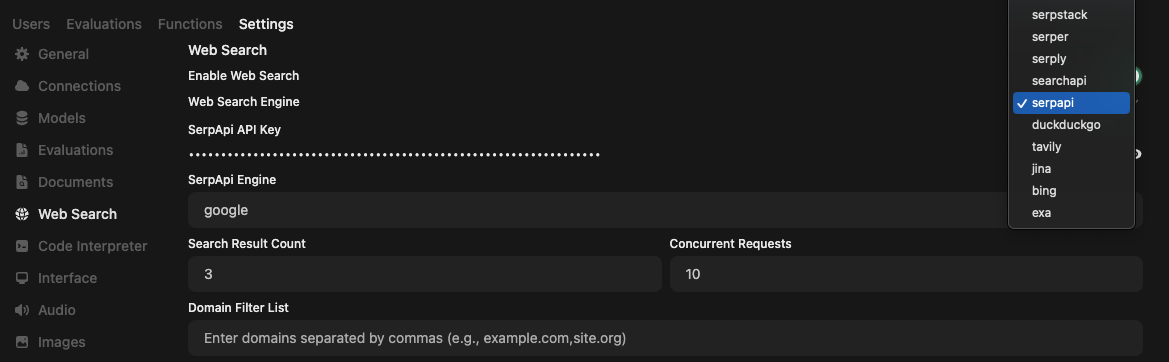
API key, openMANTA Admin paneland clickSettingstab, and then clickWeb Search. - Enable
Web searchand setWeb Search Enginetoserpapi. - Fill
SerpApi API Keywith theAPI keythat you copied in step 2 from SerpApi dashboard. - [Optional] Enter the
SerpApi enginename you want to query. Example,google,bing,baidu,google_news,google_videos,google_scholarandgoogle_patents.By default, it is set togoogle. Find more options at SerpApi documentation. - Click
Save.
Note
You have to enable Web search in the prompt field to search the web using SerpApi engines.