Google PSE
Google PSE API
Setup
- Go to Google Developers, use Programmable Search Engine, and log on or create account.
- Go to control panel and click
Addbutton - Enter a search engine name, set the other properties to suit your needs, verify you're not a robot and click
Createbutton. - Generate
API keyand get theSearch engine ID. (Available after the engine is created) - With
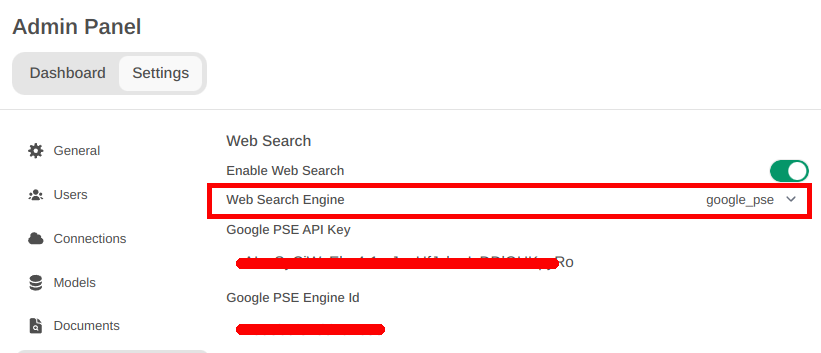
API keyandSearch engine ID, openMANTA Admin paneland clickSettingstab, and then clickWeb Search - Enable
Web searchand SetWeb Search Enginetogoogle_pse - Fill
Google PSE API Keywith theAPI keyandGoogle PSE Engine Id(# 4) - Click
Save
Note
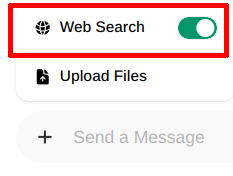
You have to enable Web search in the prompt field, using plus (+) button.
Search the web ;-)