📬 Email Provider Integration
Overview
This guide explains how to integrate MANTA with an email notification provider. Currently, the following providers are supported:
- SMTP (Simple Mail Transfer Protocol)
- AWS SES (Amazon Simple Email Service)
SMTP Integration
SMTP allows your application to send emails through an existing mail server.
Prerequisites
Before configuring SMTP, ensure you have access to a properly configured SMTP provider, such as:
- Gmail
- Resend
- Any other SMTP-compatible email service
You will need the following credentials from your email provider:
- SMTP server hostname
- Port number
- Username and password (or app password/API key)
- Sender email address
Environment Variables
To enable email notifications using SMTP, configure the following environment variables:
NOTIFICATION_PROVIDER=smtp
SMTP_HOSTNAME="smtp.gmail.com"
SMTP_PORT=465
SMTP_USERNAME="your SMTP username"
SMTP_PASSWORD="your SMTP password"
SENDER_EMAIL="sender@example.com"
Variable Descriptions:
- NOTIFICATION_PROVIDER - Specifies the email provider to use. Set to
smtpto use SMTP for email notifications. - SMTP_HOSTNAME - The SMTP server hostname provided by your email service.
- SMTP_PORT - The port used by the SMTP server (e.g.
465for SSL,587for TLS). - SMTP_USERNAME - The username or email address used to authenticate with the SMTP server.
- SMTP_PASSWORD - The password, app password, or API key for SMTP authentication.
- SENDER_EMAIL - The email address that will appear as the sender of outgoing emails.
Make sure to test your SMTP credentials before using them in production.
AWS SES
Amazon Simple Email Service (AWS SES) is a scalable, cost-effective service for sending transactional and notification emails. It is designed for high deliverability and integrates natively with AWS security features.
Prerequisites
Before configuring AWS SES integration, ensure you have:
- An active AWS account
- AWS SES enabled in your AWS region
- An IAM user or role with permissions to send emails via SES
- A verified sender email address or domain in AWS SES
Environment Variables
To enable email notifications using AWS SES, configure the following environment variables:
NOTIFICATION_PROVIDER="aws_ses"
AWS_SES_REGION=""
AWS_ACCESS_KEY_ID=""
AWS_SECRET_ACCESS_KEY=""
SENDER_EMAIL="sender@example.com"
Variable Descriptions:
- NOTIFICATION_PROVIDER - Set to
aws_sesto enable AWS SES as the email provider. - AWS_SES_REGION - The AWS region where service is configured
(e.g., us-east-1). - AWS_ACCESS_KEY_ID - AWS access key with SES send permissions.
- AWS_SECRET_ACCESS_KEY - Secret key associated with the access key.
- SENDER_EMAIL - A verified email address or domain in AWS SES that will appear as the sender of outgoing emails.
Email Templates 🎨
You can fully customize the content of emails by creating your own templates directly from the Admin panel.
How to Access Email Templates:
Navigate to: Admin Panel → Settings → Email Templates
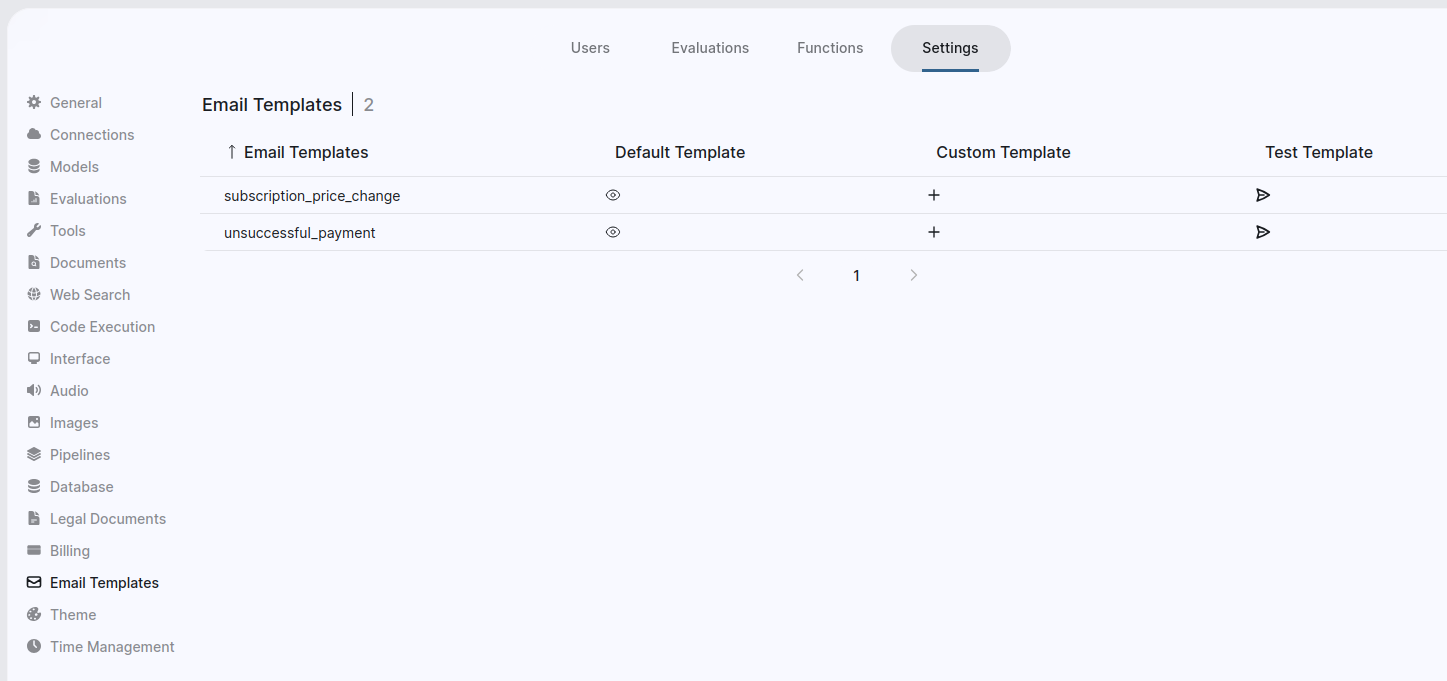
From this section, you can:
- Preview the default email templates
- Create new custom email templates
- Edit existing templates
- Test templates by sending a preview email to yourself to ensure content and formatting are correct.
Always use the preview feature to verify your email templates before sending them to end users.